Disclosure: Our experts test apps for security before recommending them. If you buy through our links, we may earn a commission. See how it works.

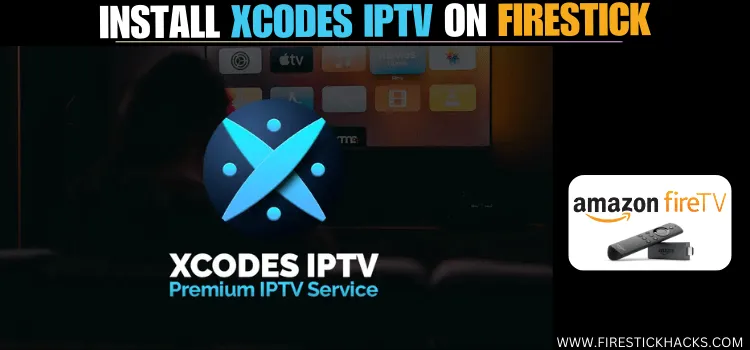
Xcodes IPTV is a premium IPTV service with over 20,000 live TV channels and 40,000 video-on-demand (VOD) titles.
Among other countries, you will find premium channels from Australia, the UK, and the US in different categories such as sports, news, and entertainment.
XCodes IPTV only provides extreme codes, which means the Xcodes IPTV is only compatible with IPTV players supporting extreme codes such as IPTV Smarters Pro and XCIPTV.
The platform caters to diverse viewing needs by offering various subscription plans, including a paid 24-hour trial and long-term options up to a lifetime subscription at $230.
Please note that most of the IPTV services are unverified, so be sure to use a VPN to make sure your streaming activities remain private. ExpressVPN is our #1 choice.
Our Recommended VPN – ExpressVPN
ExpressVPN is our recommended choice when it comes to unblocking any geo-restricted services OR watching anything for free using unofficial apps/websites as it helps you hide your streaming activities from the ISPs and Government.
This NEW YEAR, enjoy an exclusive offer: 🎉 Get up to 61% OFF + 4 months FREE on ExpressVPN’s 30-Month’s plan! 🎉 that too with a 30-day money-back guarantee.
Try ExpressVPN

Table of Contents
Toggle
How to Stream XCodes IPTV on FireStick Using IPTV Smarters Pro
Since the XCodes IPTV does not have its IPTV Player, you will need to use IPTV Smarters Pro for the best viewing experience and access the live video recording feature.
IPTV Smarters Pro is a free IPTV player that you can easily sideload on FireStick with the Downloader App.
Before starting the jailbreaking process, do not forget to install and use ExpressVPN on Firestick to hide your original IP address so ISPs cannot track your streaming activities.
Follow the steps below:
Step 1: Turn ON your FireStick device and Go to FireStick Home

Step 2: Click on the Settings icon
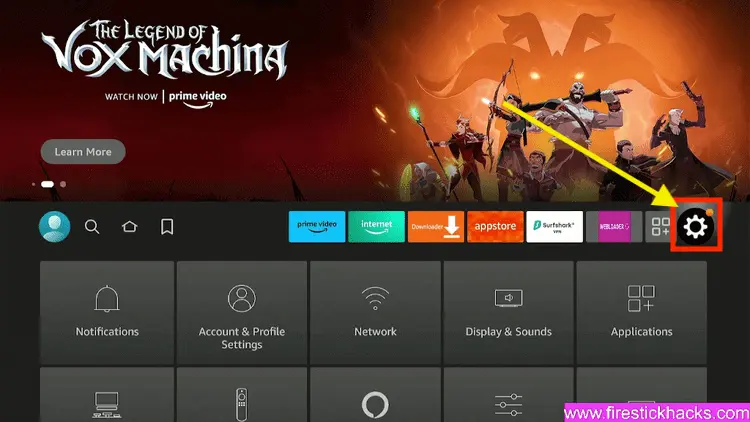
Step 3: Select the My Fire TV option

Step 4: To enable the Developer Option, click About.
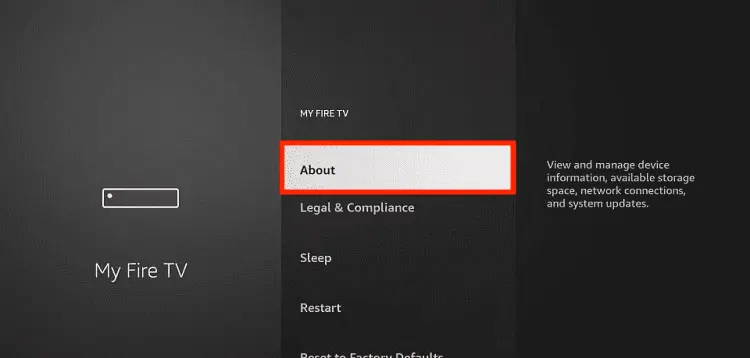
Note: If you have already enabled the Developer Option, then proceed to Step 10
Step 5: Click on the Fire TV Stick option quickly at least 7 times

Step 6: Now you will see this message at the bottom saying “No need, you are already a developer”. So stop clicking then

Step 7: Now the Developer Option will appear in the menu so click on it
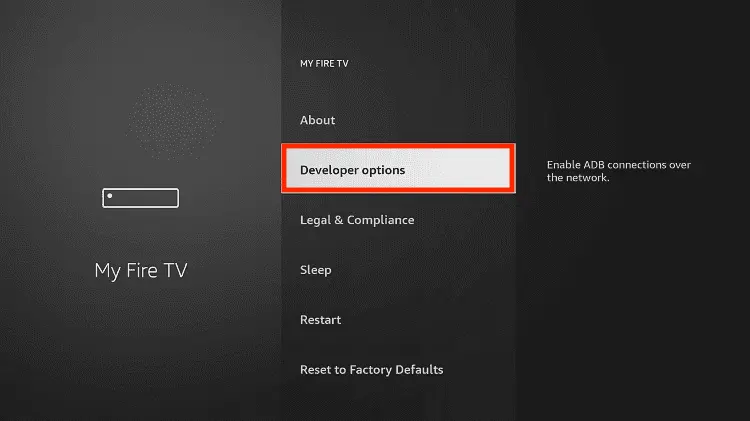
Step 8: Choose Apps from Unknown Sources to turn it ON

Step 9: Simply click Turn On

Step 10: Now return to the FireStick Home menu by pressing the “Home” icon on the remote and click on Find
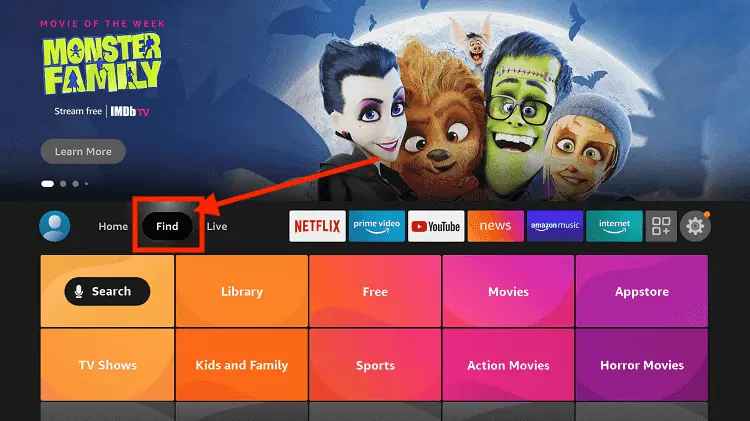
Step 11: Now select the Search icon
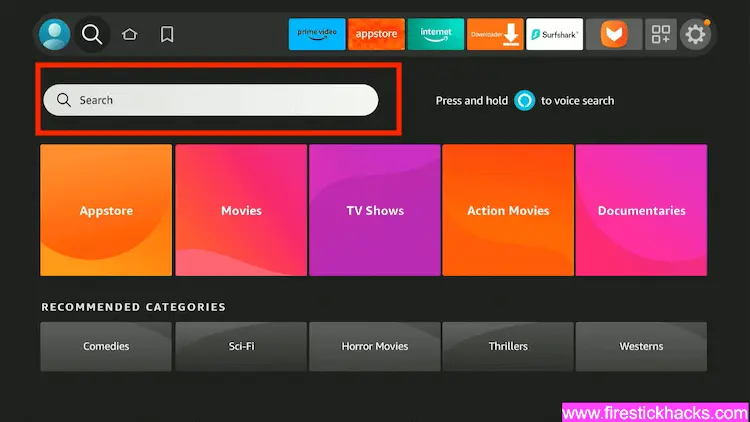
Step 12: Type Downloader and press search
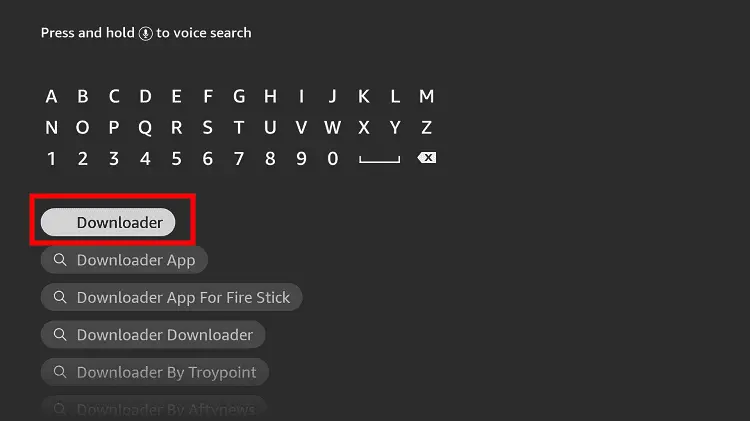
Step 13: Select the Downloader App icon from the list available in the Amazon Store

Step 14: Tap Get/Download
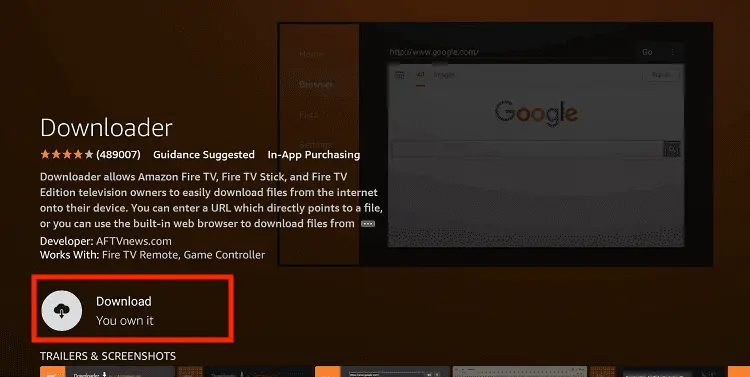
Step 15: Wait for a while until the installation process is completed
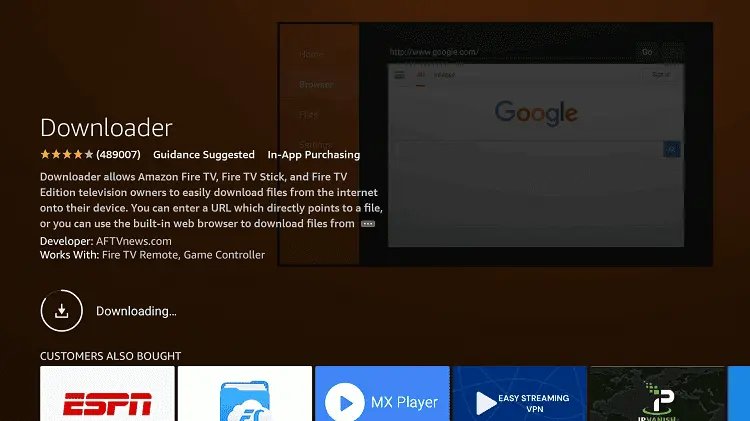
Step 16: Now click Open
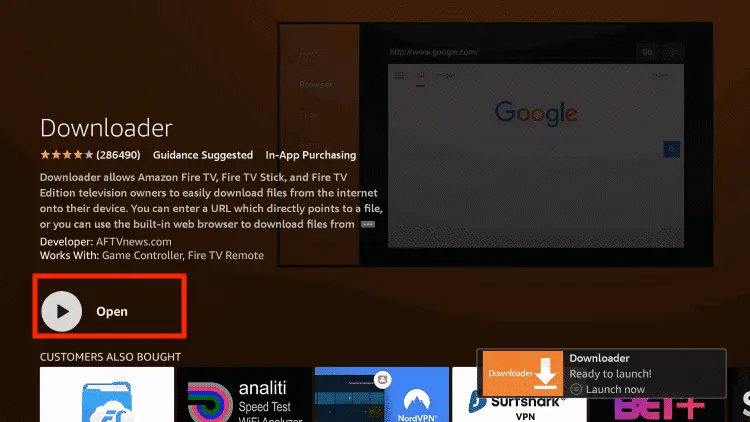
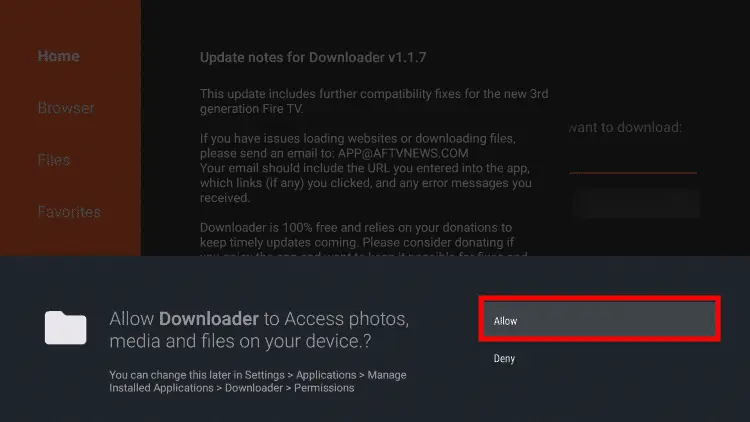
Step 17: Select Allow to give access to the downloader app
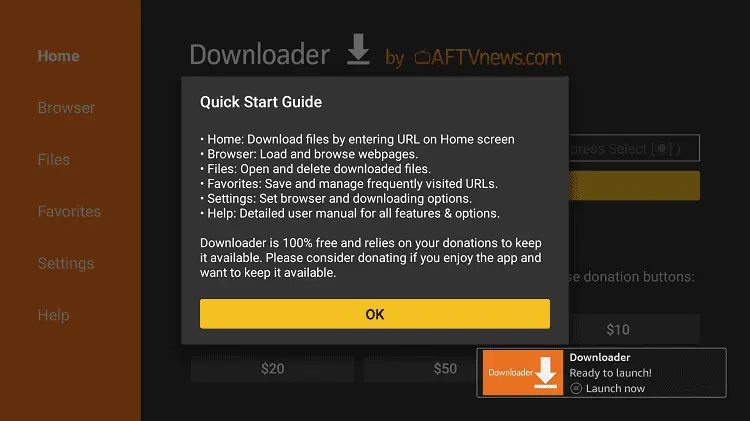
Step 18: Click OK here
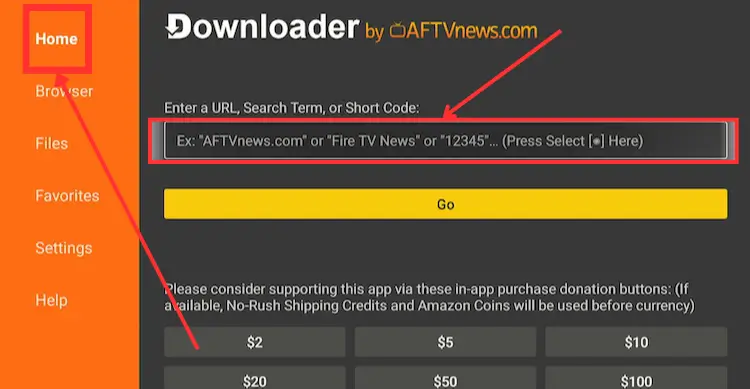
Step 19: This is the Downloader App interface, Choose the Home tab and click Search Bar
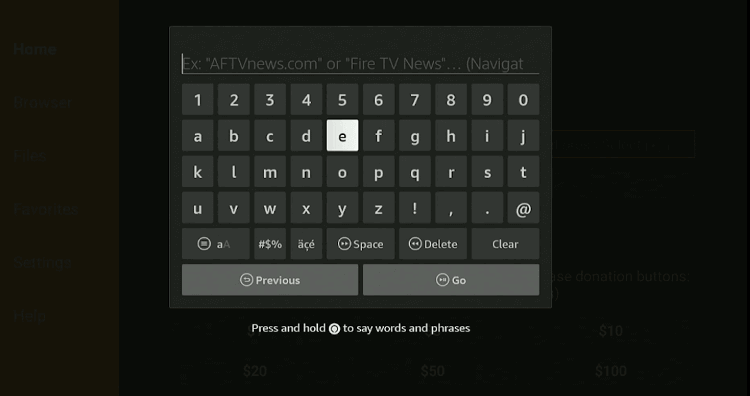
Step 20: Now enter the IPTV Smarters Pro Downloader Code 730116 in the search box OR enter this URL bit.ly/fsh-downloads and click Go.
Step 21: Scroll down and click “IPTV Smarters Pro” from the “IPTV & Media Player” category.
Note: If the app does not start downloading, then clear the Downloader App cache using this article.
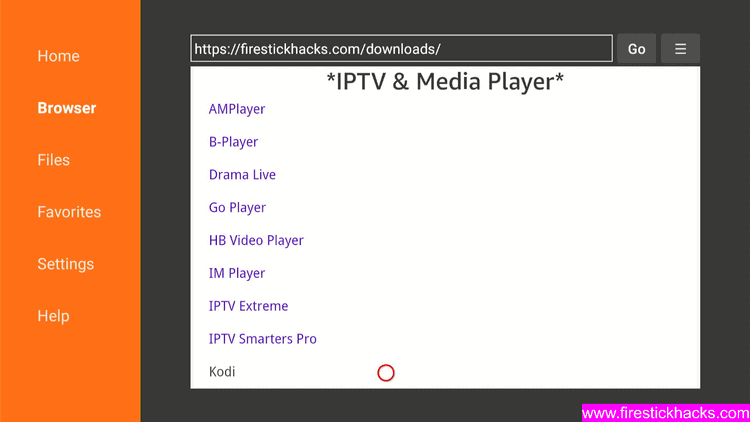
Step 22: The downloading will start. Wait for it to complete.
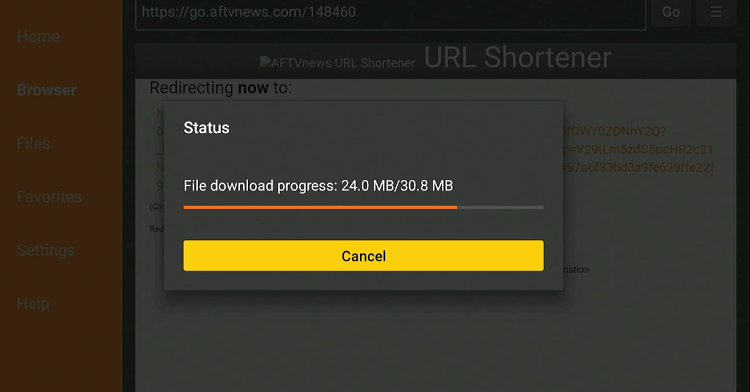
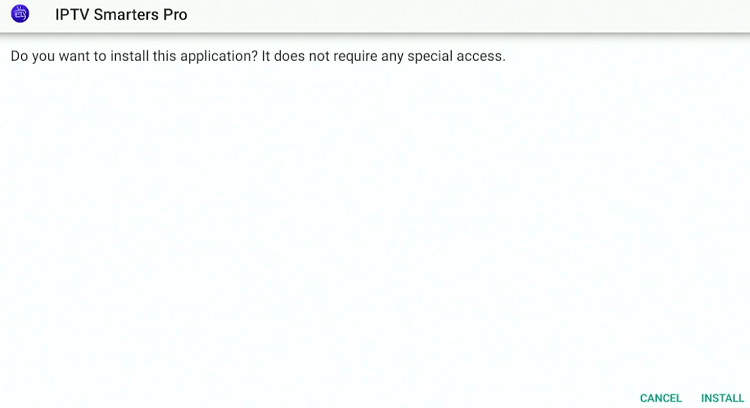
Step 23: Once the installation finishes, click “Install”.
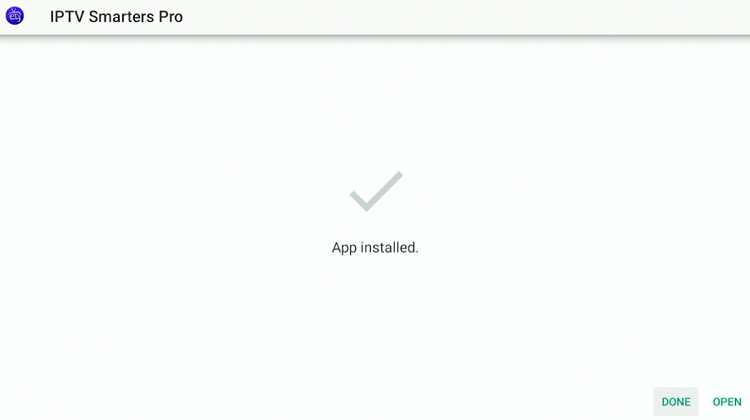
Step 24: Click “Done”.
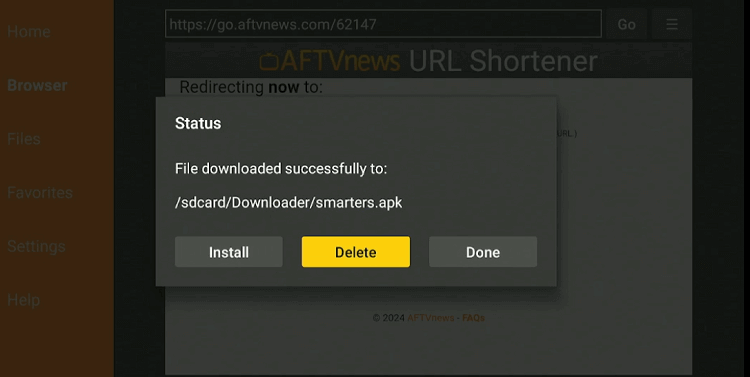
Step 25: Click “Delete” to remove the IPTV Smarters Pro APK file from FireStick.
Note: Deleting APK files will free up space on FireStick.
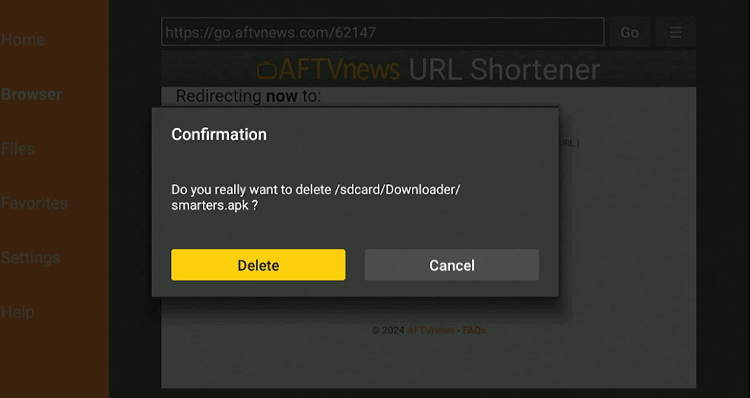
Step 26: Select “Delete” again for confirmation.
Step 27: Open ExpressVPN and connect it to the Hong Kong server.

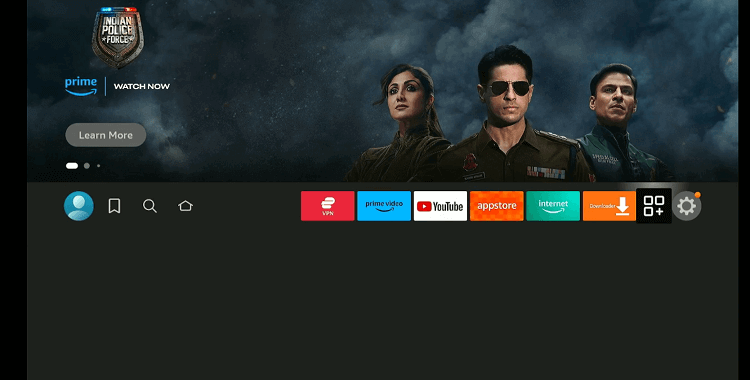
Step 28: Go to the FireStick home and select the “icon next to the settings” from the top right corner.
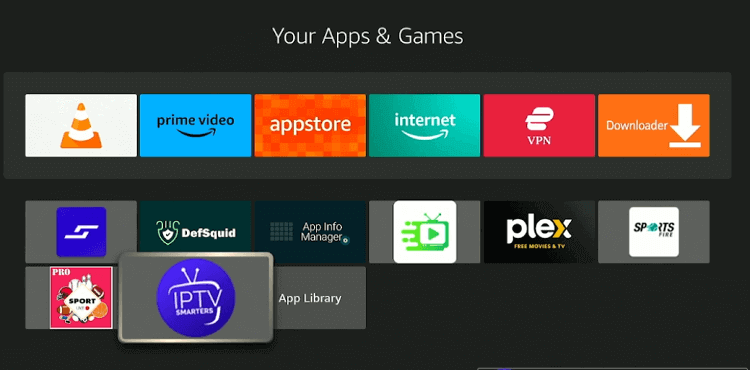
Step 29: Choose “IPTV Smarters Pro” from the list.
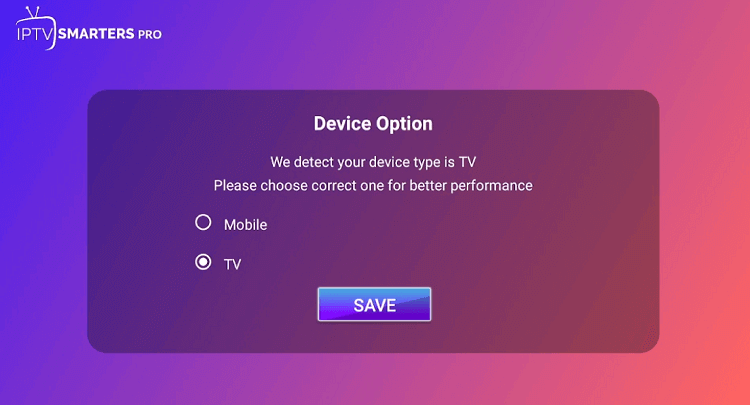
Step 30: Select “TV”.
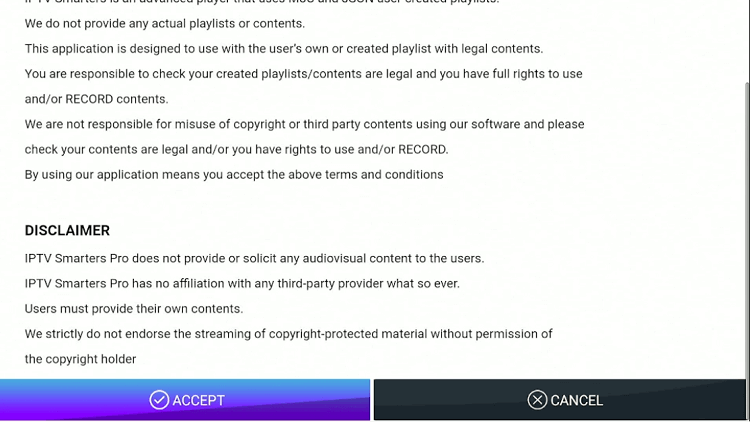
Step 31: Click “Accept”.
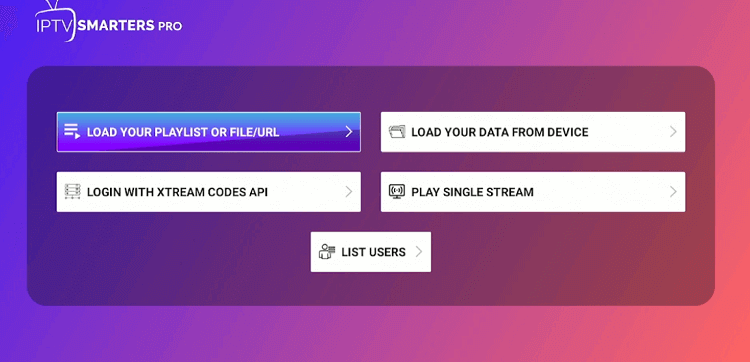
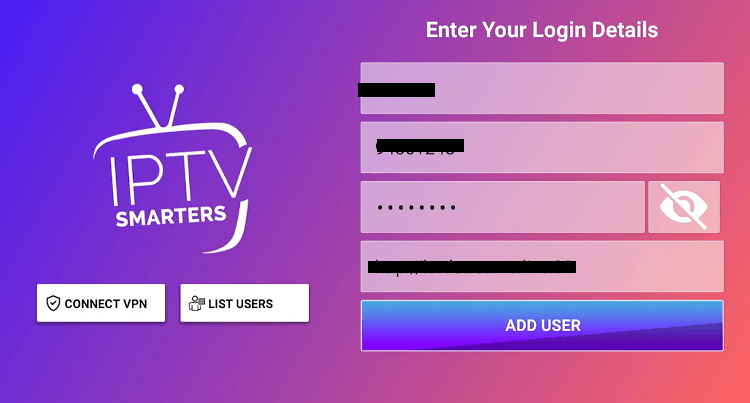
Step 32: Click “Login with Xtream Codes API”.
Step 33: Fill in all the boxes with your credentials.
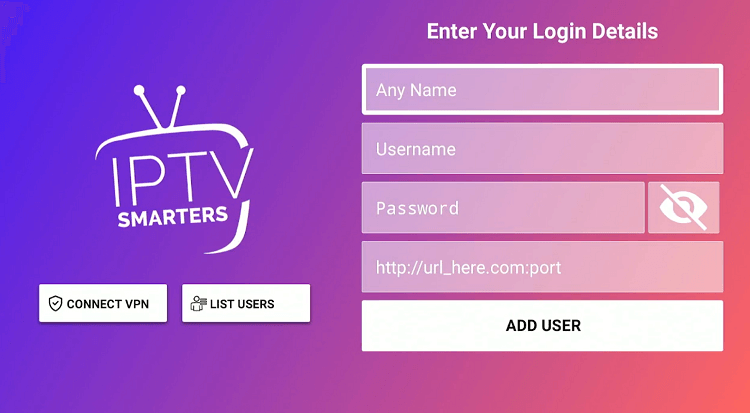
Step 34: Tap “Add User”.
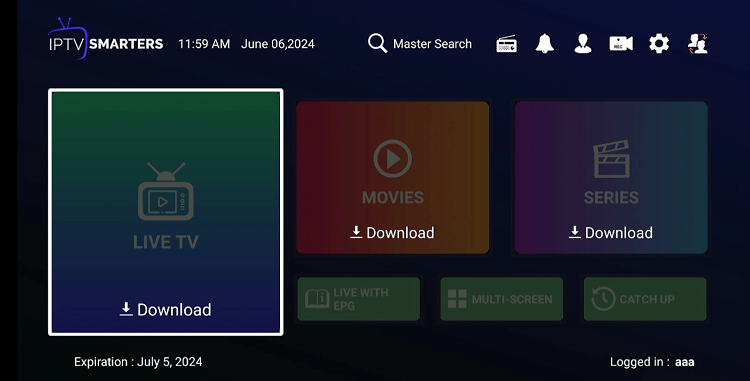
Step 35: Click “Download” to load live TV channels and VOD content.
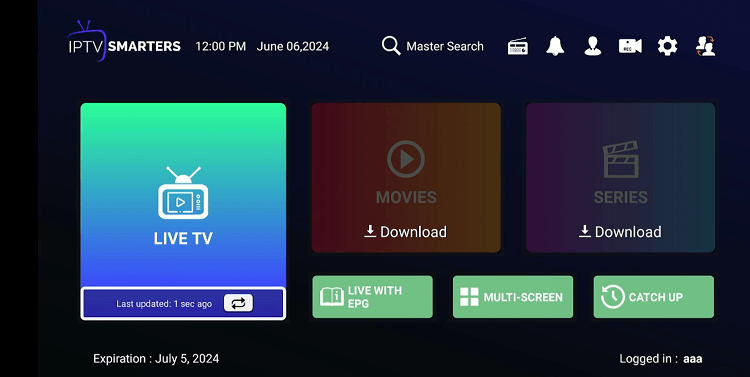
Step 36: Once live TV channels are loaded, click the “Live TV” tab.
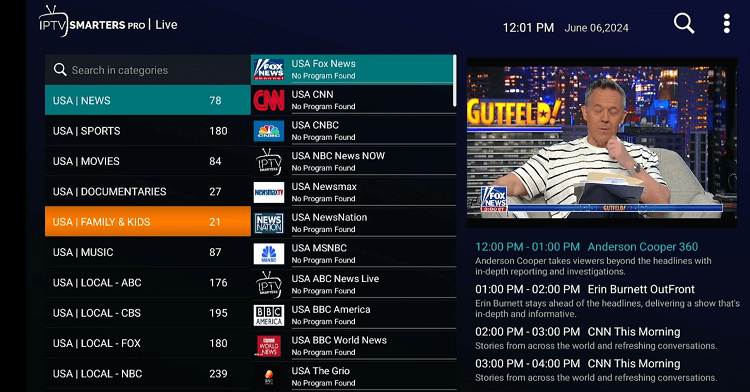
Step 37: Choose any channel from your category and enjoy streaming!
Try ExpressVPN
How to Record Live Streaming on XCodes IPTV Using IPTV Smarters Pro
If you are occupied or can’t watch a news segment or a live match, you can use the live recording feature on IPTV Smarters Pro to watch it later at your convenience.
Here’s how you can record live streaming:
Step 1: Choose a channel.
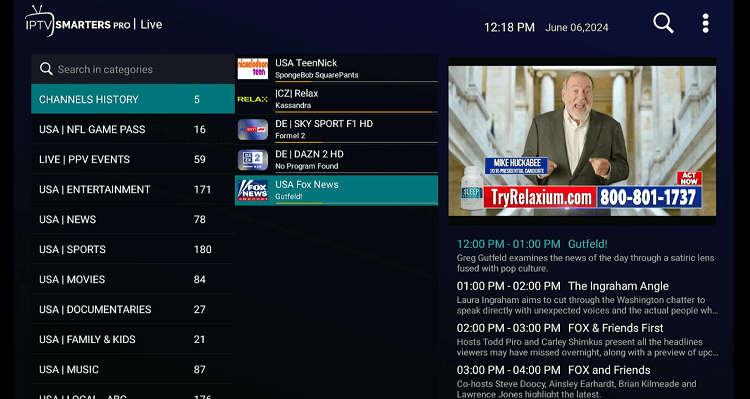
Step 2: Long press the “Select” button on the FireStick remote.
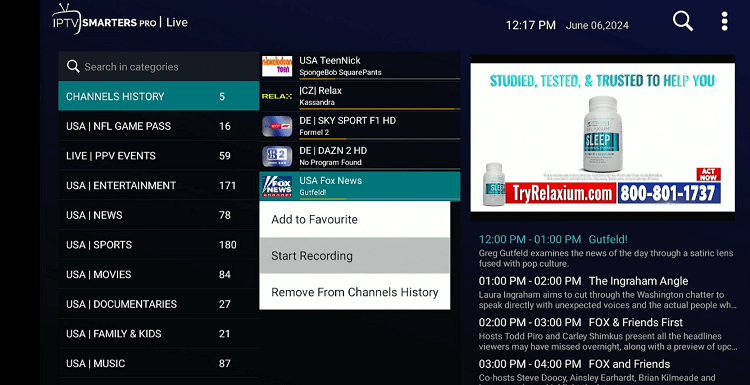
Step 3: Click the “Duration” icon.
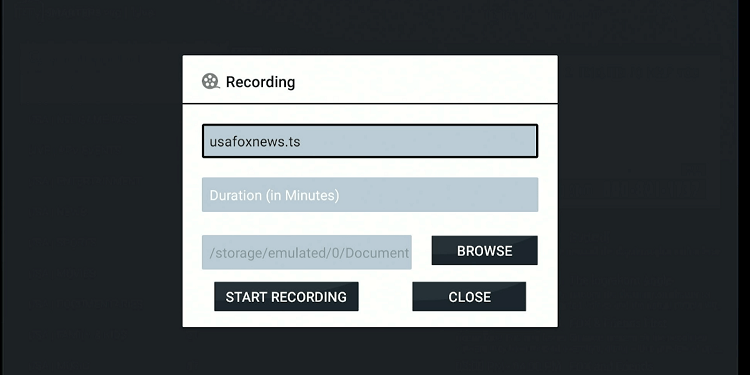
Step 4: Add the duration of recording (minutes) and click “Next”.
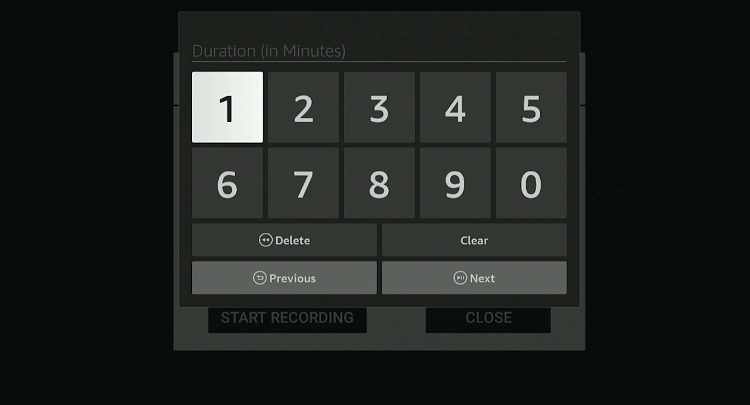
Step 5: Click “Start Recording”.
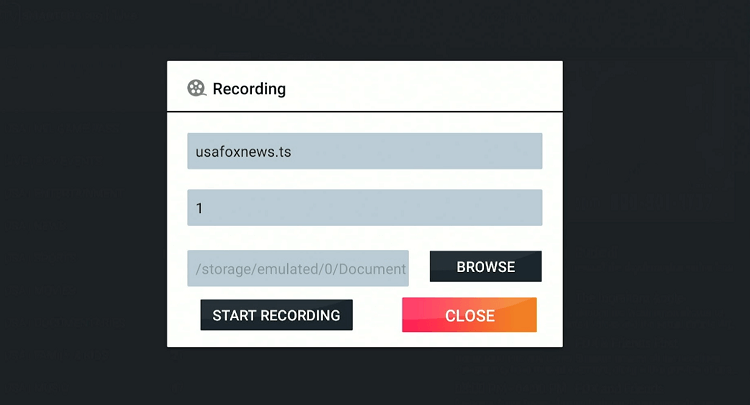
Step 6: Now you shall see a “Recording Started” pop-up.
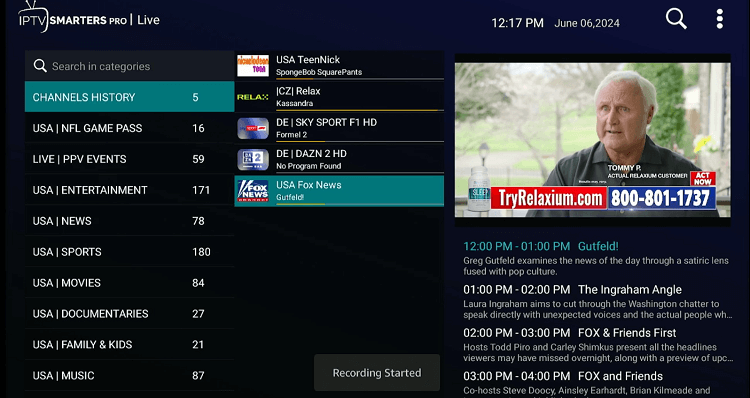
Step 7: Once the recording duration is reached, you will see the “Recording Completed” icon.
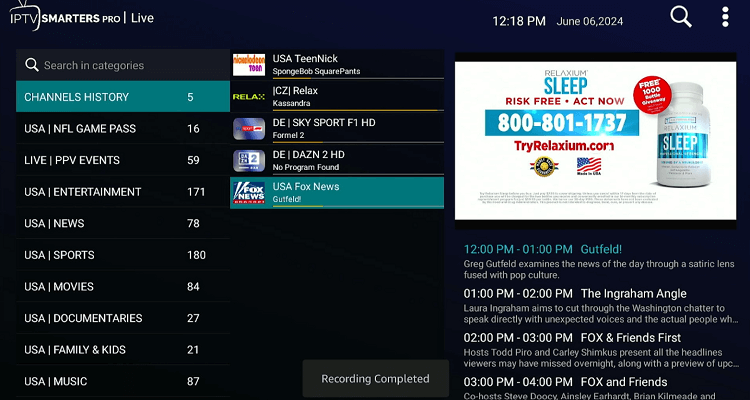
Step 8: Now go back to the IPTV Smarters Pro home screen and choose the “Recordings” tab from the top right corner.
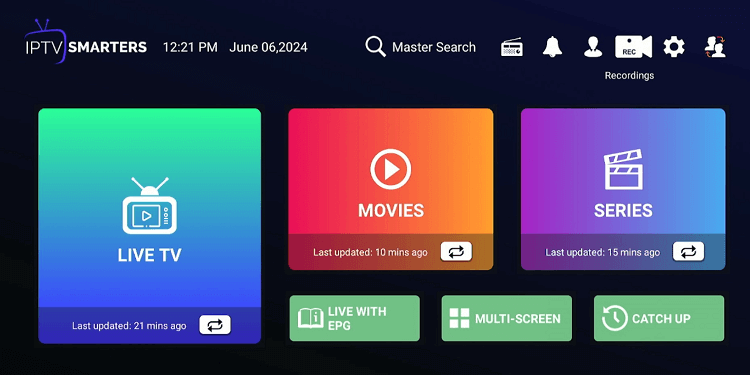
Step 9: Click the recording.
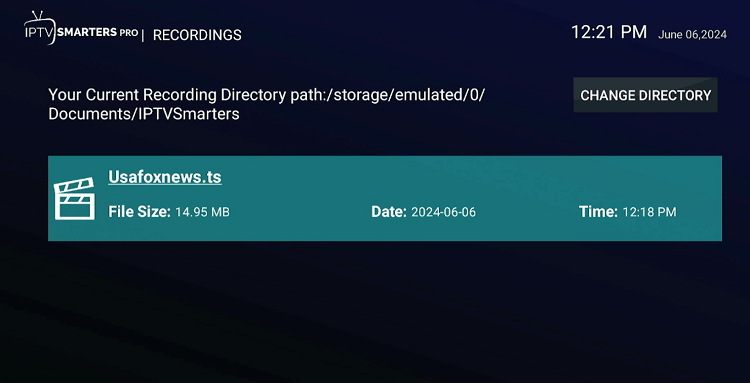
Step 10: Click “Play”.
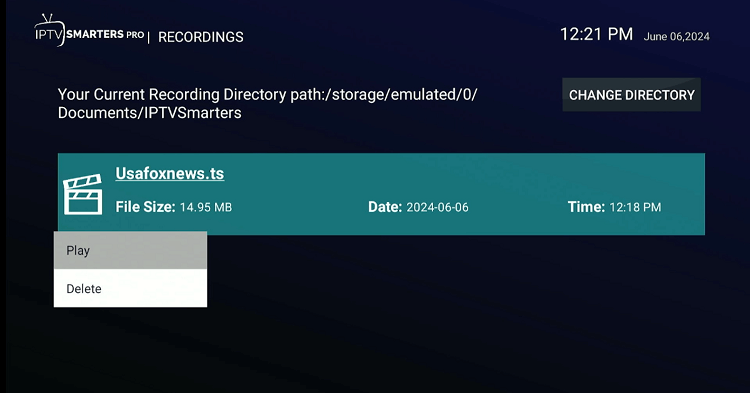
Step 11: Your recorded video will now start playing!

XCodes IPTV Pricing
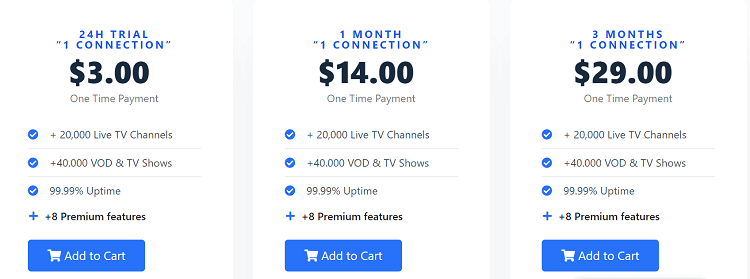
You may choose from the different XCodes IPTV pricing plans listed below:
1 Connection
- 24-Hour Trial: $3.00
- 1 Month Subscription: $14.00
- 3 Months Subscription: $29.00
- 6 Months Subscription: $49.00
- 12 Months Subscription: $75.00
- Lifetime Subscription: $230.00
2 Connections
- 1 Month Subscription: $25.00
- 3 Months Subscription: $39.00
- 6 Months Subscription: $59.00
- 12 Months Subscription: $99.00
- Lifetime Subscription: $350.00
3 Connections
- 1 Month Subscription: $35.00
- 3 Months Subscription: $49.00
- 6 Months Subscription: $69.00
- 12 Months Subscription: $119.00
- Lifetime Subscription: $450.00
XCodes IPTV Features
Check out some of the best XCodes IPTV features:
- Over 20,000 live TV channels.
- Affordable prices.
- HD streaming quality.
- More than 40,000 VOD titles.
- 99.99% uptime
- Multiple subscription plans.
- One-time payment options.
- Multi-device compatibility.
- EPG (Electronic Program Guide) support.
XCodes IPTV Alternatives
If you like XCodes IPTV, you would want to try some of its popular alternatives:
- Xtreme HD IPTV on FireStick
- iView HD IPTV on FireStick
- Apollo Group TV on FireStick
- Yeah IPTV on FireStick
- Dynasty IPTV on FireStick
FAQs – XCodes IPTV
What kind of channels does XCodes IPTV offer on FireStick?
XCodes IPTV provides over 20,000 channels in categories like sports, entertainment, news, and kids.
Does XCodes IPTV include pay-per-view events on FireStick?
Yes, XCodes IPTV streams pay-per-view events as part of their packages.
Does XCodes IPTV provide a free trial on FireStick?
No, XCodes IPTV does not provide a free trial. However, you can get a 24-hour trial for $3.
Can I record live streaming on XCodes IPTV?
Yes, you can record live streaming on XCodes IPTV using IPTV Smarters Pro.
Final Thoughts
Subscribing to XCodes IPTV is a great option for anyone looking to enhance their viewing experience FireStick, thanks to over 20,000 live channels and 40,000 shows & movie titles.
The service offers various subscription options, ranging from a 24-hour trial to a lifetime access plan, ensuring there is something for everyone.
Though XCodes IPTV works with several IPTV Players that support xtream codes, it is recommended to use IPTV Smarters Pro for the best viewing experience. Be sure to use ExpressVPN to ensure secure streaming!

